Create your event in 90 seconds.
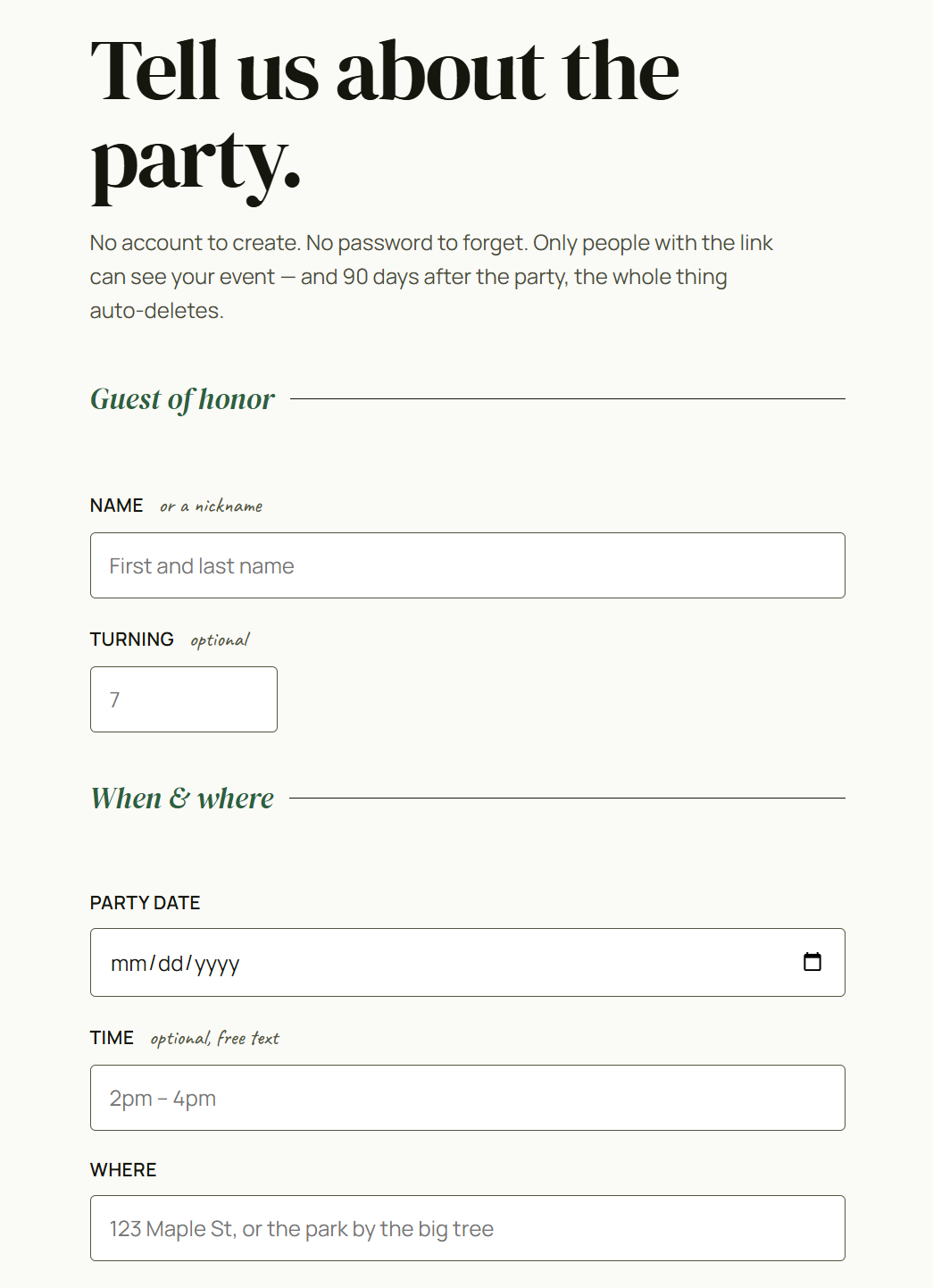
Fill in the basics — name, date, location, what your guest of honor likes. We hand you a host link.
Short answers and screenshots — the stuff people ask before throwing their first party with partyloop.
Fill in the basics — name, date, location, what your guest of honor likes. We hand you a host link.
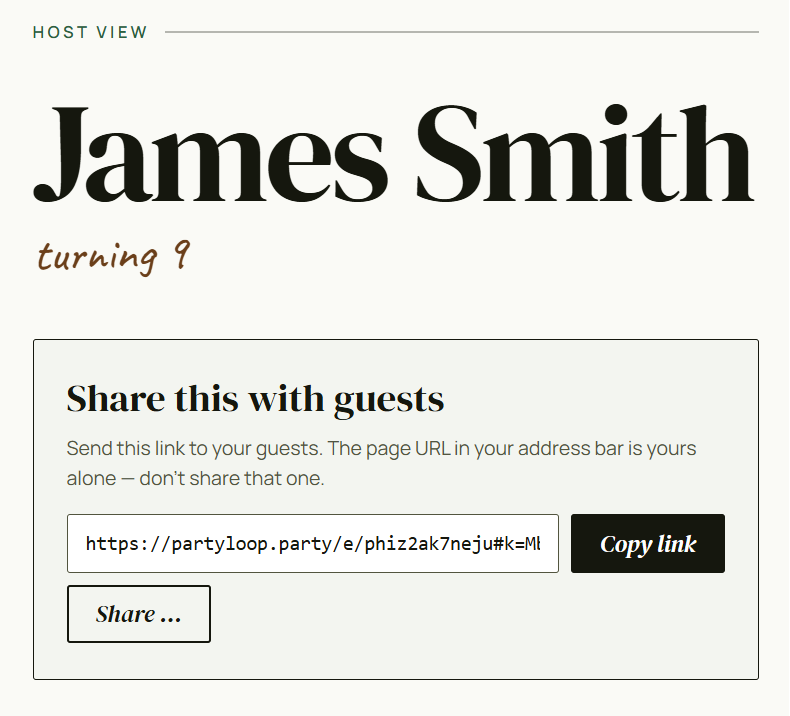
Copy it, or use your phone's share sheet. No account needed for guests either.
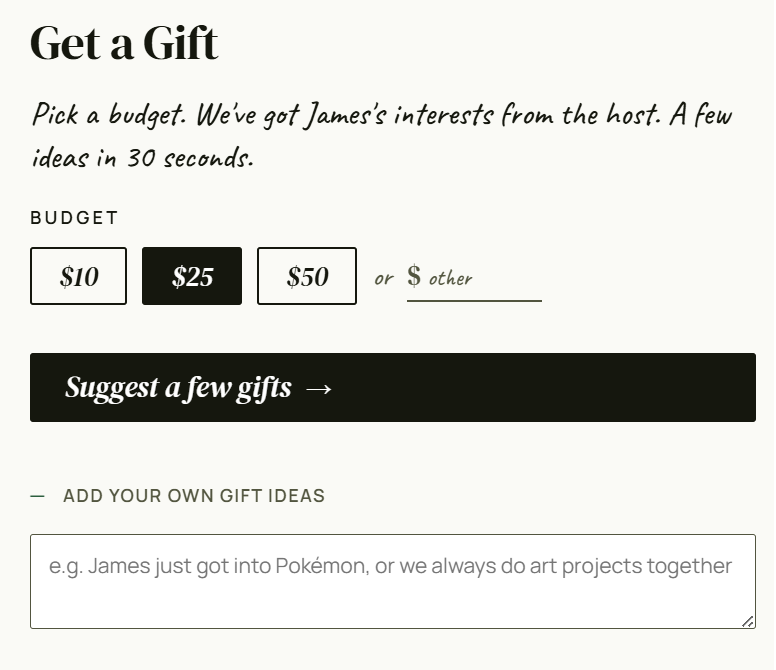
Gift suggestions matched to your guest of honor — one tap to claim, no duplicates across the guest list.
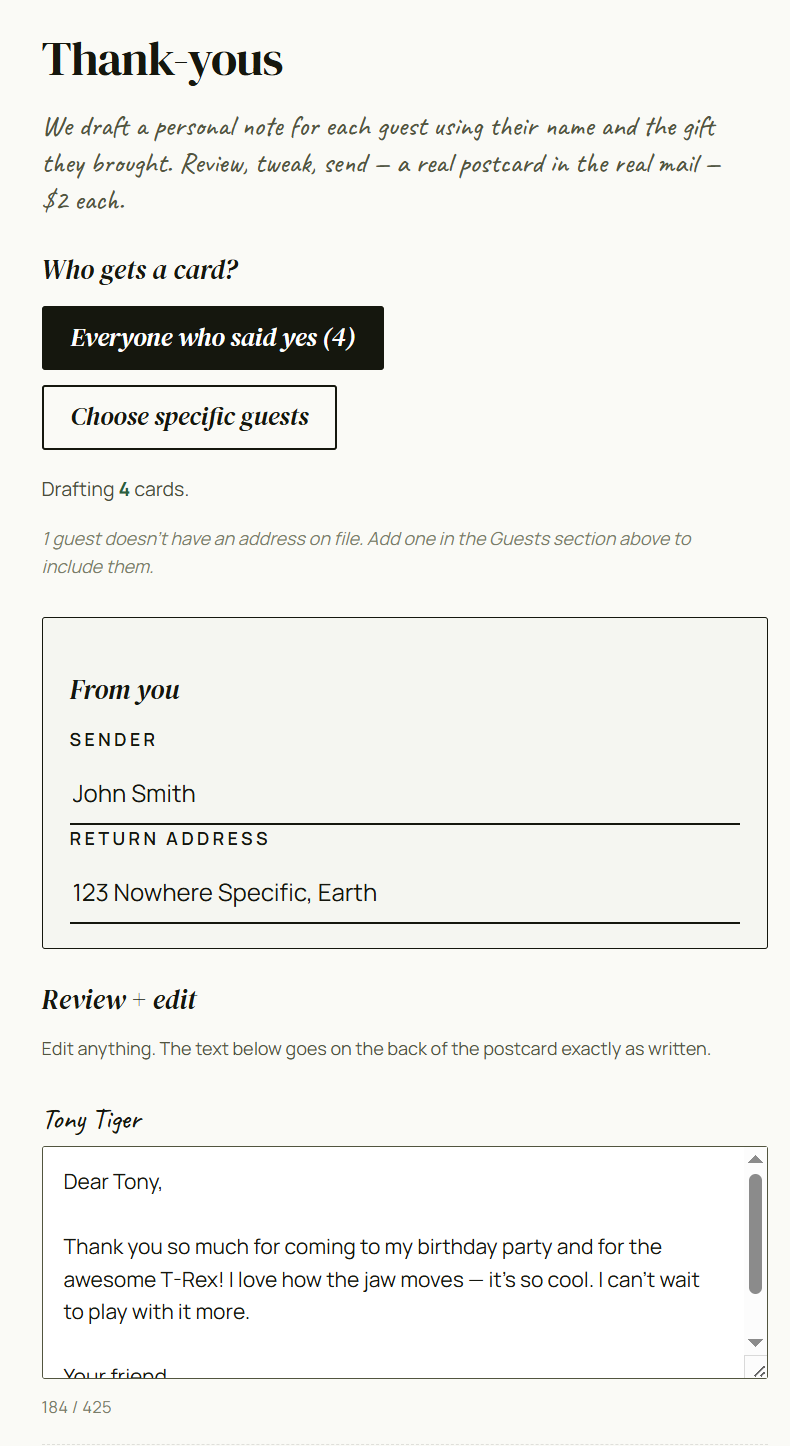
We draft a personal postcard for each guest. You review, tap send, $2 per card lands in real mail.
Because accounts are how most services track your family, build profiles, and turn you into a marketing target. We don't believe in any of that, so we built partyloop to work without one. Your host link is your access; share the public version with guests. We email you a copy as a backup.
Check your email — when you create an event, we send the host link to the address you gave us. That's your backup. If you lose both the original page AND the email, we genuinely can't get you back in. Not "won't," literally can't — the unlock secret lives in the link itself, and we don't keep a copy.
Yes, for everyone. Creating events, RSVPing, sharing with guests, gift coordination — all free. The only paid feature is thank-you postcards at $2 each, and the host opts into each one. Nothing is ever charged without an explicit checkout.
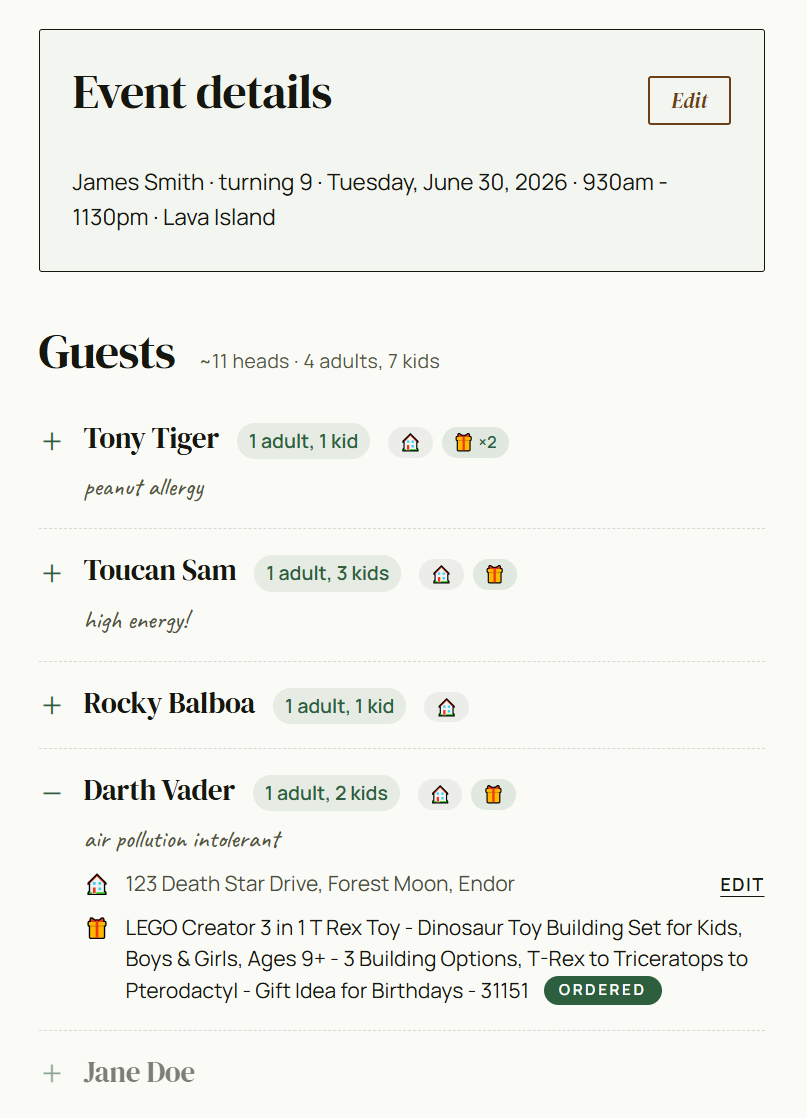
The host page is your event command center. You see every RSVP with headcount and dietary notes; track which gifts have been claimed; edit event details anytime; and (after the party) draft and send thank-yous.
The "Share this with guests" section at the top of your host page shows the public guest link. Tap Copy link, or Share… on mobile. Send it via text, email, group chat — wherever your people are. (Screenshot in the Quick tour above.)
Yes to both. The "Edit event details" section lets you change date, time, location, name, interests — anything. To delete the event entirely, scroll to the bottom of your host page and tap delete this event. Everything (RSVPs, gifts, addresses, drafts) is wiped permanently in one tap.
After the party, head to the Thank-yous section on your host page. Pick recipients ("everyone who said yes," or hand-pick); our AI drafts a short personal note for each guest mentioning their first name and the gift they brought; you review and edit; then pay $2 per card to send. We print real postcards and mail them via USPS. (Screenshot in the Quick tour above.)
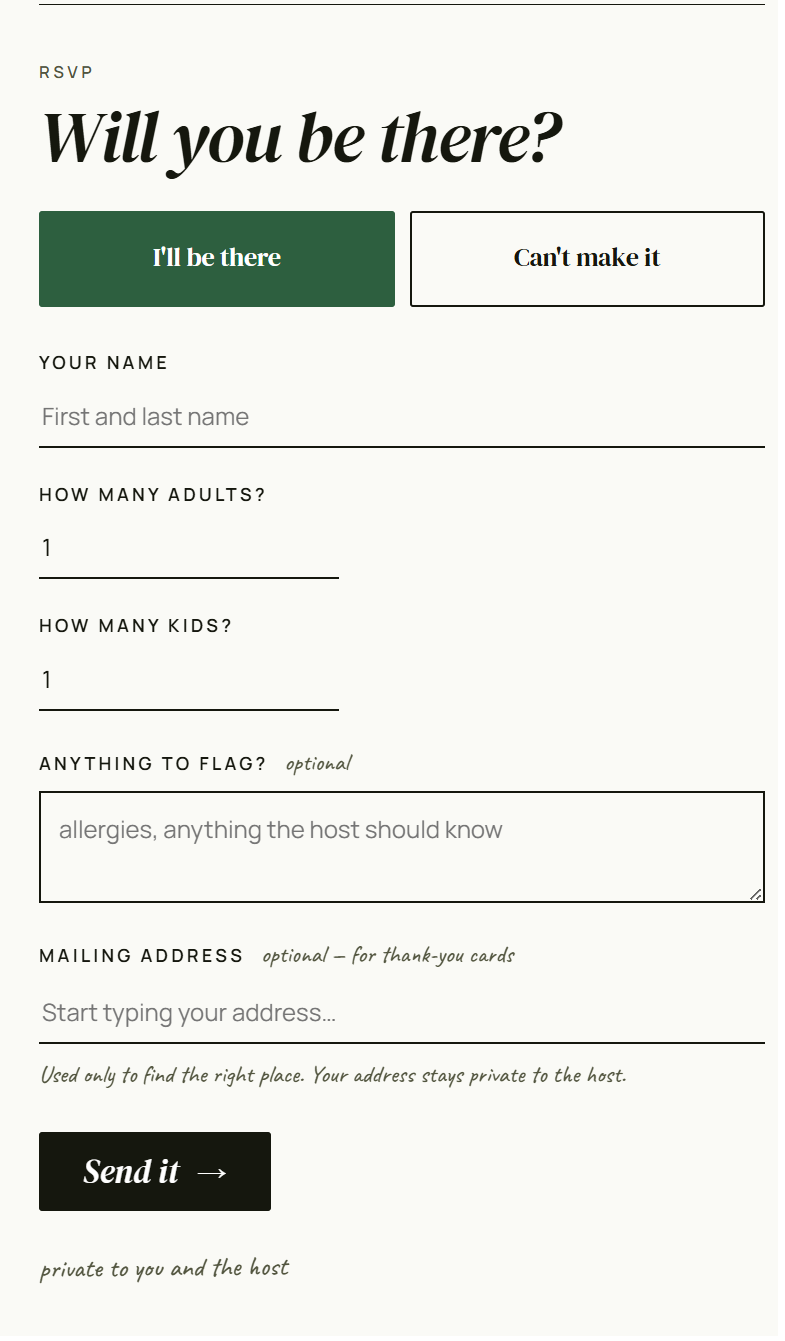
Nope. Open the link your host sent, fill in your name and headcount, hit submit. No password, no email needed (though you can add a mailing address if you want a thank-you postcard later).
After RSVPing, you'll see the "Get a Gift" section. Pick a budget ($10, $25, $50, or custom), and we'll suggest a few gift ideas based on what the host shared about the guest of honor (their interests, what they already have, what to avoid). Tap one to claim it — that stops other guests from bringing the same thing — and complete the purchase on Amazon. (Screenshot in the Quick tour above.)
Drop it into the "Add your own gift ideas" field on the matcher — anything you write there factors into our suggestions, so your idea (or something close to it) will likely show up in the list. Claim it once it does, and no one else can bring the same thing.
Only you and the people you share a link with. Event content — the guest of honor's name, location, guest list, addresses, gifts — is scrambled in your browser before it ever reaches our servers. The unlock secret lives in your host link, not on our servers. We don't have a copy. We couldn't read your data even if we wanted to.
On servers in the US, scrambled so we can't read what's inside. The only things we keep readable are the bits we need to actually run the service — your email (so we can send your host link), the party date (so we know when to delete), and a few internal IDs. Everything personal — names, addresses, RSVPs, gift picks, thank-you drafts — is scrambled before it reaches us.
Everything goes away. Automatically. 90 days after the party, your event — all the RSVPs, gifts, addresses, thank-you drafts — is permanently deleted. No backup, no archive, no recovery. Want it gone sooner? There's a delete button at the bottom of your host page.
When your guests buy gifts through our matcher, Amazon pays us a small affiliate commission. We also keep a small margin on the $2 thank-you postcards — most of that covers printing, postage, and payment processing fees. No ads, no data selling, no AI training on anything you share. The scrambling we do means we couldn't sell your data even if we wanted to.
Still have questions? hi@partyloop.party